
Don't Steal the Brainrots PC and Mobile Controls
WASD or thumbstick to move. Hold interact to steal. No unofficial keycard required.
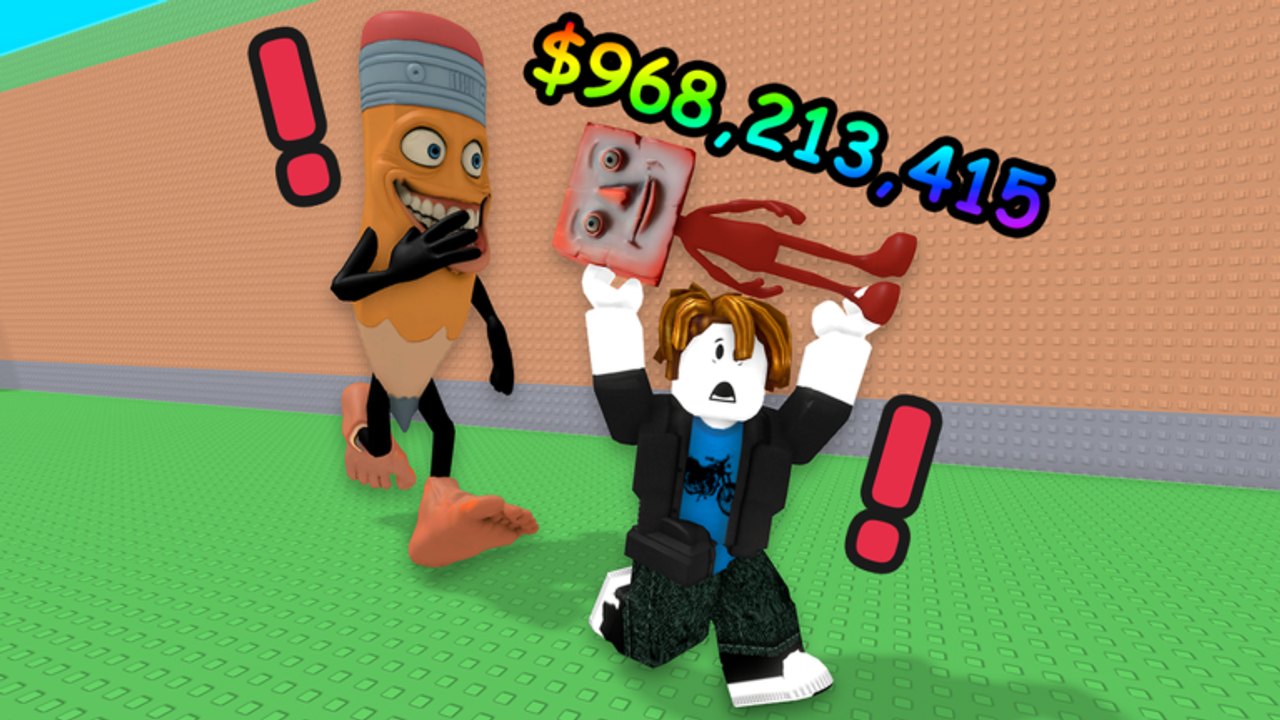
Don’t Steal the Brainrots uses ordinary Roblox inputs. lol games.. has not published a custom control sheet, a remappable steal key, or a mobile overlay guide. This page describes the loop those inputs serve and the binds that are typical for Roblox, then stops. If a YouTube overlay shows a different key, treat it as that creator’s keyboard, not as a patch note.
The loop is always the same: move into the field, hold to lift a sleeping Brainrot, move back to your plot, park, collect, open upgrade or slot prompts, repeat. Learn that sequence on the first-session checklist before you hunt extra buttons.
The loop the buttons serve
Every control exists to protect a sleep window. Zzz means the hold can start. Red ! means you should already be moving. There is no confirmed “sleep” key you press to knock a Brainrot out. You wait. There is no confirmed “cash” hotkey that skips the collect tile. You walk to it. Players who look for a hidden combo usually miss the interact prompt that was already on screen.
If the loop is unclear, you do not have a controls problem. You have a timing problem. Open how to steal for the hold, and how to escape for the sprint. This page will not duplicate those tactics except where an input changes the tactic.
PC movement and interact
On a keyboard and mouse, movement is the standard Roblox set: W A S D to walk, mouse to look, space to jump. Jump is for camera and tiny ledges, not for beating Mixed Boss. Shift-to-sprint is a Roblox default on many experiences; if this tycoon leaves it on, use it on the way home. If it does not, you still have WASD. We will not list a dash key that is not in a public post.
Steal is hold interact. On a typical PC Roblox bind that is E. You press, you keep pressing, the Brainrot lifts, you release after the carry starts. A tap that only opens a billboard is not a steal. If E does nothing, check that you are close enough to a sleeping unit and that Roblox has not rebound interact in your client settings. The wiki cannot see your keyboard file.
Camera during a carry should point at your plot, not at the gorilla. Flick-look is how you clip a wall and turn a JOB cube run into a Mixed Boss highlight.
Mobile tap-hold
On a phone or tablet, movement is the left thumbstick. Look is the right-side drag. Jump is the jump button if the experience shows one. Steal is tap and hold on the on-screen interact prompt. Do not tap once and assume the unit will hop into your arms. The hold is the same rule as PC E, just with a finger.
Two-thumb play is enough. A third finger on jump during a chase usually launches you into the pencil. Plant the stick toward your plot and keep the hold until the lift completes, then both thumbs are for running. If the prompt sits under your stick, shift your grip before the Zzz ends, not after.
Auto-clickers and tap macros belong in the same bucket as steal helper scripts: optional, against typical Roblox rules, and a good way to lose the account that holds your offline cash. Learn the hold.
Menus, plot, and collect
After a park, walk onto the collectable cash. Official shots show huge popups such as $968,213,415; those are the collect layer rendering, not a menu you open with M. Upgrade prompts appear on parked characters. Slot and floor purchases appear on plot objects. Because lol games.. has not posted menu key names, use the on-screen buttons. On PC, that is usually mouse click or interact on the prompt. On mobile, it is a tap.
If a menu covers the field, close it before you re-enter a sleep window. A shop UI is how people miss a wake. Spend with how to upgrade while you are safe on the pad. Trade and gift UI lives with the Brainrot trading page; do not hunt a gift key during a chase.
Camera and crowded servers
Five players share one field. Your camera is a control. Pull it up enough to see Zzz letters over more than one body. Push it in when you commit to a single JOB cube so the hold target is obvious. Other avatars will block prompts. Strafe one step rather than spinning in place.
If your device is dropping frames, lower Roblox graphics in the Roblox menu (Esc on PC, the Roblox hamburger on mobile). That is a platform menu, not a tycoon menu. A stable 30 frames on the sprint home is worth more than shadows on Mixed Boss.
What this page will not invent
No emote that puts Brainrots to sleep. No confirmed number-key hotbar for Secrets. No listed gamepad remap from lol games… No “press F to collect.” If those exist in a future patch, they will land on the patch tracker and this page will name them. Until then, the honest set is: move, look, jump, hold interact to steal, tap or click on-screen plot prompts to park, collect, upgrade, and expand.
Use that set to steal during sleep windows, to run when they wake, and to spend on floors and upgrades. The offline cash plan does not need extra keys at all: parked units print after you close Roblox.
If a control still feels missing, it is probably a prompt you are standing too far from. Walk closer. Read the nameplate. Hold.
Frequently Asked Questions
Quick answers for sneak runs, plot cash, and the Food Update.
What key steals a Brainrot on PC?
Hold interact, which is E on a typical Roblox bind. There is no published custom steal key. Practice the hold in how to steal rather than hunting a hidden combo.
How do I steal on mobile?
Tap and hold the on-screen interact prompt until the unit lifts, then thumbstick toward your plot. The first-session checklist uses the same hold for your first JOB cube.
Is there a sprint or dash button?
No custom dash is posted. Use default Roblox movement. Escape is route choice, not a hotkey; see how to escape.
How do I collect cash or upgrade?
Walk to the cash tile and to the parked unit, then use the on-screen prompt. Spend order is on how to upgrade. Do not expect a dedicated cash key.
Can scripts press these inputs for me?
Some steal helper scripts claim to. They can cost the account. Learn the hold yourself; offline cash still needs a plot you can log into.