
Don't Steal the Brainrots tools
Written planners, not widgets. Start with the plot checklist, then rank keepers.
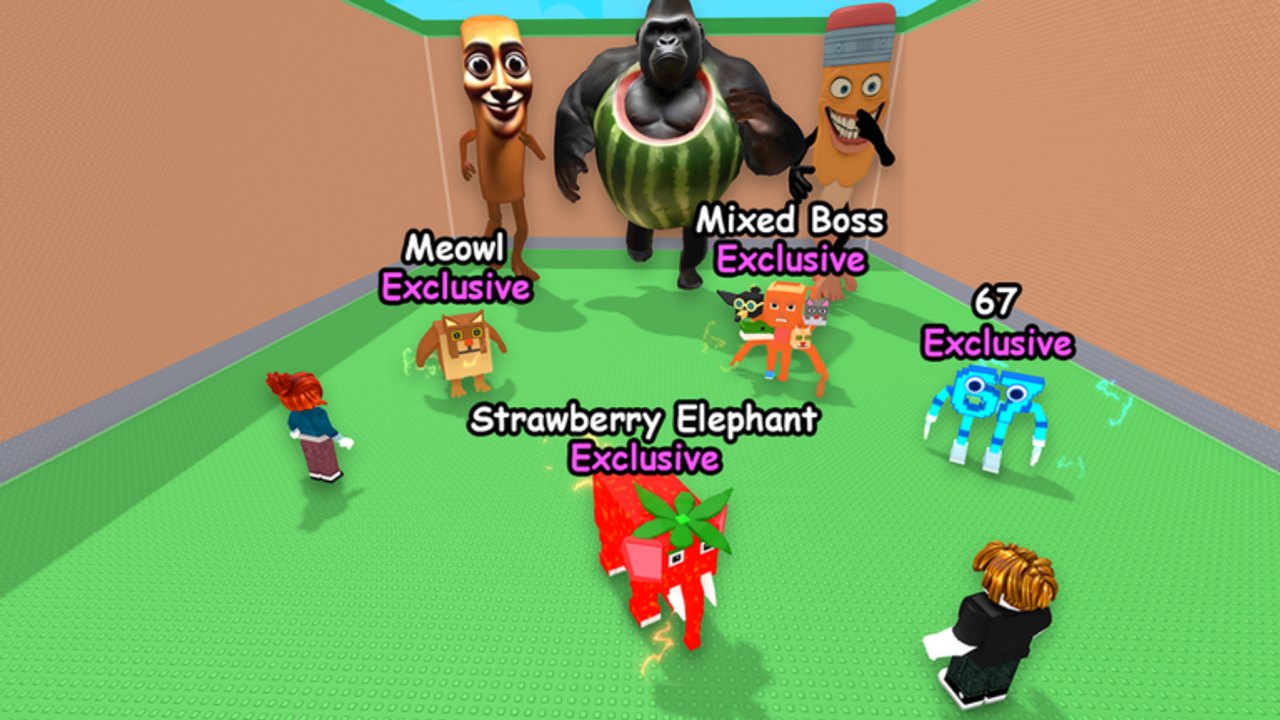
The tools on this wiki are planning pages, not JavaScript calculators and not executor hubs. Don’t Steal the Brainrots does not publish a public stat API, floor-price table, or official Trello, so a fake slider that promises “optimal cash per second” would be invented numbers. What you can plan on paper is which plot slots to keep, when a Food Update floor is worth buying, and whether the next tile should hold an Exclusive or a Secret.
The working tools are the plot planner and the spin-wheel planner. Use the plot checklist before you spend like-plus-group cash or gift a duplicate. Use the wheel page so auto-spin does not starve a floor you still need. Do not let auto farm buy a room you cannot staff.
What a plot tool has to answer
A Don’t Steal the Brainrots plot is a row of sleepers that print while you are offline. Extra slots and extra floors multiply that row only if the new tiles are as good as the old ones. The planner therefore asks four questions the HUD will not ask for you:
- Which parked units are keepers tonight?
- Which parked units are bait, gifts, or vendor trash?
- Is the current row good enough to copy onto a new floor?
- If a Secret and an Exclusive both want the last tile, who wins?
Those answers change after the Food Update window (31 August to 14 September 2026) because New Floors are part of the patch. Buying a floor to park three more pencil units is how you stall. Buying a floor to park a second Meowl, a Mixed Boss, and a food keeper is how you use the patch.
How to use the hub without a widget
Open the plot planner in one tab and the tier list in another. Write your current slots down. Mark each as Keep, Replace, or Trade. Then look at cash on hand. If you cannot fill the next floor with Keep marks, do not buy it. If you can fill it, buy it and copy the Keep row up. That is the entire tool.
Ranking help:
- Named Exclusives (Meowl, Mixed Boss, 67) live on the exclusives page.
- Named Secrets (Strawberry Elephant, Spaghetti Tualetti) live with the rest of the high end on secrets.
- Upgrade costs and “do not max junk” rules live in how to upgrade.
- Gift and duplicate rules live in trading.
If a YouTube thumbnail offers a “plot optimizer script,” that is the scripts hub, not a tool. Scripts click buttons. They do not decide that sausage sleeper should leave tile three.
Why we do not ship a calculator
Cash-per-second numbers in this genre go stale inside a patch week. Food units can shift. Floor prices can shift. A widget with hardcoded multipliers would teach the wrong spend two days later. A checklist does not rot as fast: keep Exclusives, keep Secrets, replace JOB and pencil when you have a quieter earner, expand floors only when the row is copyable, leave one tile free if you are hunting a trade.
There are also no public redeem codes to feed into a “code value” tool. Free cash is still like the experience and join lol games.., documented on the group rewards page. Put that seed into a keeper upgrade or a floor you can fill, not into a wheel.
Suggested planning order for a session
- Collect, then screenshot or jot the current row.
- Run the Keep / Replace / Trade pass on the planner.
- Check Food Update notes if you have not looked at floors since 31 August 2026.
- Steal only for Replace tiles, using sleep windows, not for vanity fills.
- Trade or gift duplicates instead of parking two of the same common.
- Buy a floor only after the Keep row would look good twice.
That order works on a 5-player server because you are not racing 19 other bases. You are racing the wake-up timer and your own bad spends. The tool hub exists to slow the spend down.
When Dev_Emir publishes real floor prices or a public unit sheet, this hub can grow a second page. Until then, the planner plus the tier pages are the kit. No slider. No made-up DPS. No Trello scrape, because there is no official Trello to scrape.
Frequently Asked Questions
Quick answers for sneak runs, plot cash, and the Food Update.
Is the plot planner a calculator widget?
No. It is a written checklist for keepers, floors, and Exclusive versus Secret priority. There is no public API to power a live calculator.
When should I expand floors?
After the current row is full of keepers you would happily copy. The Food Update added floors; empty floors still waste cash. Details are on the plot planner.
Should I park Exclusives or Secrets first?
Park a confirmed Secret over a common. Between a live Exclusive such as Meowl and an unconfirmed highlight, keep the Exclusive. The planner walks the tie-break.
Do I need a script to use these tools?
No. The scripts hub is a separate, ToS-risk topic. Planning is paper and the in-game plot buttons.
Where does group cash fit into the tools?
Treat the like-plus-group gift as seed money for a keeper upgrade or a fillable floor. Claim it via group rewards, then run the checklist.